
The TrueWin app is free mobile software that provides round-the-clock access to all the features of the main website on your smartphones. Whether you use an Android device or an iPhone, the app provides you with the same functionality, intuitive navigation, and real-time updates on your mobile screens.
Android users can easily install the TrueWin APK version without having to visit the Google Play Store. iOS users can instantly access the platform through TrueWin PWA for iPhone, which works like a native app right from your browser. Both options eliminate the need for traditional app store approvals, making the process more efficient. Once you have completed the TrueWin app download guide, you can immediately access your account and enjoy all the features of the mobile platform from anywhere.
What Is the TrueWin App and How Does It Work?
The TrueWin app provides players with direct access to a full gaming environment via mobile technology. It uses two different methods to deliver the gaming experience: an APK file for Android and a progressive web app for iPhone users. Both options ensure that the interface and functionality are fully consistent with the desktop version.
TrueWin APK is a standard installation package for Android devices that requires a simple download to launch. PWA, on the other hand, launches through a mobile browser but can be saved to the home screen for instant access.
This approach eliminates the need for traditional app stores while maintaining high performance. Once installed, users can register an account directly within the app to unlock all available features.
Android APK vs. iPhone PWA – What’s the Difference?
The choice between these two TrueWin options depends on your device type and installation preferences. Below is a direct comparison to help you understand how each of these methods works.
| Feature | Android APK | iOS PWA |
|---|---|---|
| Installation Type | Downloaded as an installable file. | Saved to home screen via browser. |
| Storage Use | Installs directly on device storage. | Uses minimal cache data. |
| Functionality | Runs as a standalone native app. | Runs as a web-based app. |
| Security | Secured by device settings. | Encrypted via browser protocols. |
Key Features of the TrueWin Mobile Platform
The Truewin mobile app has been optimized for speed and convenience for users on the go. Every element has been designed to make navigation simple and secure from the moment you access it.
- Fast Loading Times: Pages and games are optimized for quick response on mobile networks.
- User-Friendly Interface: The layout adjusts to smaller screens without losing functionality.
- Secure Mobile Login: Advanced encryption protects account access and personal data.
- In-App Registration: New players can sign up instantly without visiting a desktop site.
- Instant Updates: The PWA updates automatically, while the APK ensures the latest version is always available.
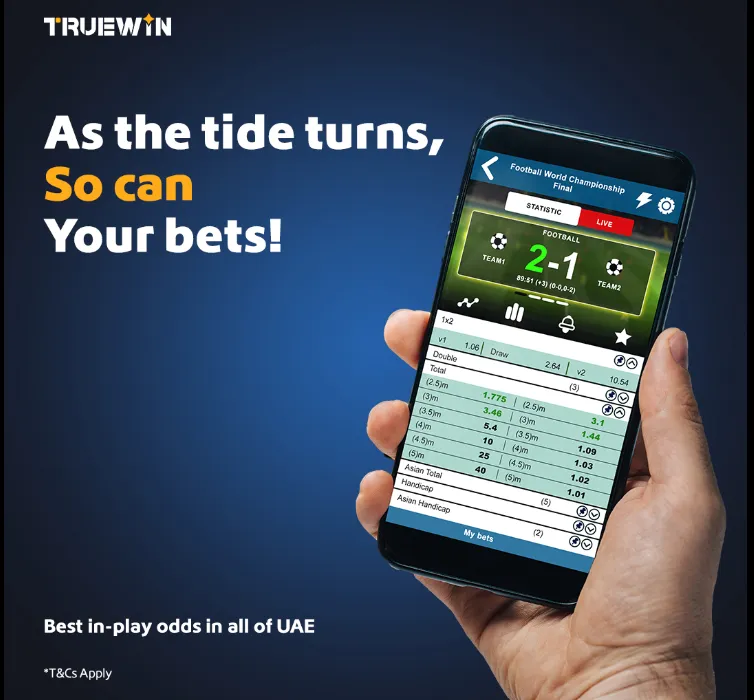
How to Add TrueWin PWA to iPhone – No App Store Required
Installing a progressive web app on your iPhone completely bypasses the official App Store, offering a faster and more direct method. This process uses the built-in Safari browser to save the platform directly to the home screen of your iPhone and iPad. Once added, the icon behaves like a standard TrueWin app, providing one-tap access.
This approach eliminates download delays and storage issues associated with native apps. The web version retains all core features, including secure login and account management. Follow the simple step-by-step instructions below to install the icon on your device in minutes.
Step 1 – Open TrueWin in Safari Browser
Open the Safari browser on your iPhone and go to the official TrueWin website. Make sure you are on the correct page to ensure a safe installation. Do not use third-party browsers for this step, as the “Add to Home Screen” feature only works through Safari.
Step 2 – Use “Add to Home Screen” Feature
Tap the Share icon (square with an arrow) at the bottom of the Safari screen. Scroll down the options menu and select Add to Home Screen. You will be prompted to name the shortcut before confirming. Tap Add in the upper right corner to complete the installation.
Step 3 – Launch the PWA Like a Native App
Return to your iPhone home screen to find the newly added icon. Tap it to launch the Truewin directly from your device. It will open in a clean, app-like interface without the browser address bar, allowing you to log in and play just as you would with a native application.
TrueWin APK Download for Android – Step-by-Step Installation Guide
If you want quick access to the mobile platform, the best option is to download the TrueWin APK file directly to your Android device. The process is simple, but it is important to follow the rules for safe downloading and provide the necessary permissions for installation.
Below is a safe and easy-to-follow guide for beginners that will help you install the mobile casino app without any errors.

Step 1 – Enable Unknown Sources on Android
Before you install TrueWin APK on Android, you must allow installations from sources outside the Google Play Store. Open your phone’s Settings, go to Security or Privacy, and enable “Install unknown apps” for your browser. This permission allows the secure APK file to be installed safely on your device.
Step 2 – Download the TrueWin APK File Safely
Visit the official website and tap the button to download TrueWin APK. Make sure you are using the correct and verified domain to avoid unofficial files. Confirm the download and wait for the secure APK file to finish downloading completely before proceeding.
Step 3 – Install the APK on Your Device
Open your device’s Downloads folder and tap the APK file. Select Install and wait a few seconds while the mobile casino app installation completes. Do not interrupt the process to ensure a smooth setup.
Step 4 – Launch the App and Start Playing
After installation, open the Truewin app on your home screen. Now you can log in, make a deposit, and start playing the best Truewin games and placing sports bets.
Creating a New Account After App Installation
Once the Truewin application is installed on your device, the next step is completing the registration process. Accessing the platform requires a simple sign-up form that collects basic personal details for verification. This process is quick and designed to get new players into the action immediately. Follow the steps below to activate your account successfully.
- Open the Truewin App on your device and locate the “Register” button on the home screen. Tap it to proceed to the sign-up form.
- Enter your active mobile number or email address in the designated field. Type the characters shown in the captcha image correctly, then tap “Next” to continue.
- Fill in the required personal details, including your full name, Emirates ID (EID) number, and date of birth. Ensure all information matches your official documents to avoid verification issues later.
- Review the information for accuracy, then click “Submit Now” to complete registration. Your account will be created instantly, allowing immediate access to the platform.
Logging Into the TrueWin App for the First Time
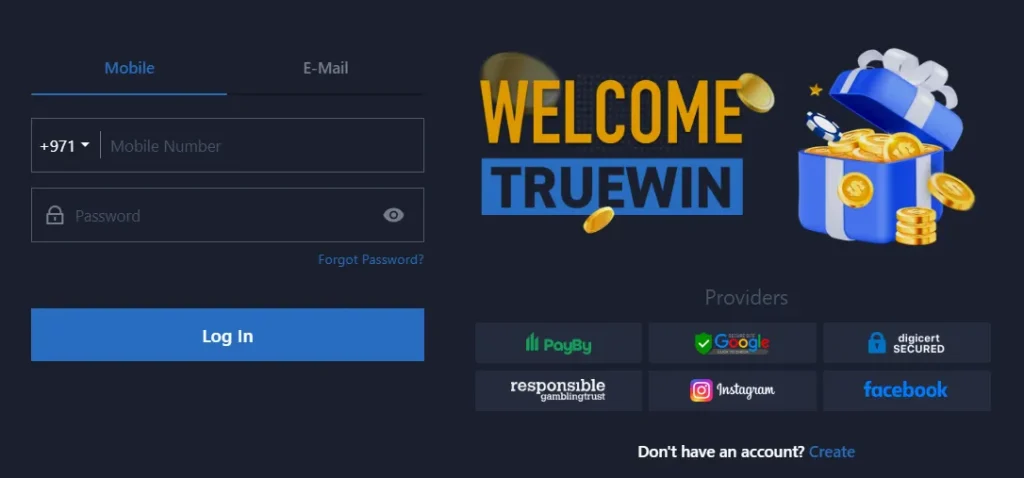
After registering, players can log into their account via the Truewin App using their user credentials. Logging into your account is very simple and works as follows:
- Open the app and select the login option
- Enter your email address or mobile phone number.
- Enter your password.
- Enter your OTP (if you have enabled 2FA).
- Press the blue “Log In” button to access your mobile account.
Once logged in, the dashboard displays available games, account balance, and current promotions. This first login process establishes secure account access for all future visits to the platform.

Is the TrueWin App and PWA Safe to Use?
The TrueWin app uses data encryption to protect your information when it is transferred between your device and servers. This means that any personal data, login credentials, or activity is encrypted and protected from unauthorized access. The developer also provides users with the ability to request data deletion, giving you control over your information.
Here are the key security features that make the TrueWin a trusted choice for an encrypted gaming app:
- Data Encryption in Transit: All information sent to and from the app is secured.
- Data Deletion Options: You have the right to request the removal of your personal data.
- Regular Diagnostics: The app monitors crash logs and diagnostics to continuously improve stability and security .
By always downloading the application from the official TrueWin website and following the installation guides, you are taking the right steps to protect user data and enjoy a worry-free experience.
Common Download Errors on Mobile
Although downloading and installing the Truewin app is as simple as possible, players sometimes encounter problems. Below, we provide examples of the most common download issues and offer effective solutions:
- APK installation error (“App not installed”): This can happen if you have an older version of the Truewin app still on your phone. Delete the previous version, restart your device, and try downloading and installing the new version of the app again.
- PWA not appearing on the home screen: Ensure you are using Safari and that you tap “Add to Home Screen” and not “Add Bookmark.” After adding, check the last page of your home screen icons.
- Verification code not received: Wait a few minutes and request a new code. Also, check your spam folder for emails or ensure your phone has a strong signal for SMS.
Why Choose the TrueWin Mobile App Over Desktop?
While the desktop version offers full-screen mode, the TrueWin mobile app provides a number of advantages that suit today’s active lifestyle. By choosing the mobile gaming platform, you get the ability to freely access your account anytime, anywhere.
- Faster Access: No need to open a browser and type a URL. Just tap the icon on your home screen.
- Mobile Optimization: The interface is specifically designed for touch, making navigation smoother and more intuitive.
- Instant Notifications: Get real-time updates on promotions and account activity directly on your phone.
- Convenience: The ability to register on mobile or log in from anywhere transforms your smartphone into a powerful tool for smartphone casino access.
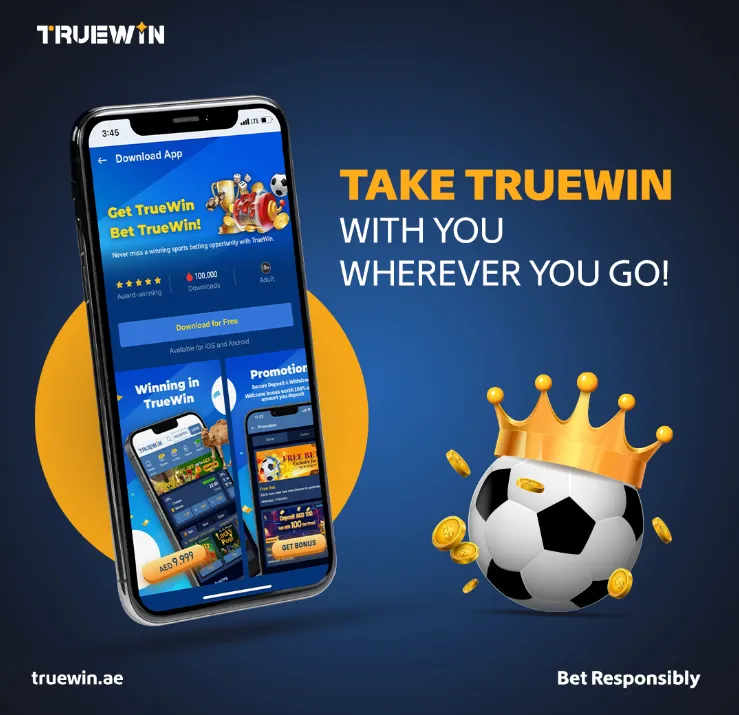
Updating the TrueWin APK and Maintaining Account Security
Keeping your app updated is essential for enjoying the latest features and the highest level of security. The update process differs slightly between Android and iPhone, but the goal remains the same: to ensure you have the latest Truewin app version.
How to Install the Latest APK Version
To update the TrueWin app, you need to repeat the initial download process. Visit the casino’s official website on your Android device and download the latest APK file. Once downloaded, open the file — you will be automatically prompted to update the existing app while retaining your login details and settings.
Updating the PWA Automatically
One of the best features of a Progressive Web App is that the app update process is seamless. You do not need to do anything. Every time you launch the TrueWin PWA on your iPhone, it checks for the latest version and updates itself automatically in the background.
Keeping Your Account Secure After Updates
After updating, it is a good practice to review your account security tips. Log in and navigate to your account settings to ensure your contact information is current. If the update introduces new privacy or security settings, take a moment to review them to ensure your preferences are still correctly set
Final Thoughts
Getting started with the TrueWin app is a simple process designed for the convenience of mobile gamers. Whether you choose to download the Android Apk or add the PWA to your iPhone home screen, you are choosing a fast, secure, and optimized way to access your account.

We recommend that you follow the instructions in this guide to download the app and play your favorite games and place sports bets. The platform prioritizes your security, ensuring that your personal information is protected from the moment you sign up. For any issues, support is readily available to assist you. Make the switch to mobile today and enjoy the freedom of secure mobile gaming wherever life takes you.